Docker-Android 把完整的 Android 模拟器打包进 Docker 镜像,提供从 Android 9 到 14 的多个 API 版本,并内置 Galaxy、Nexus 等机型配置。容器启动后可通过浏览器访问 noVNC 画面实时查看和操作,也能用 adb connect 从宿主机远程控制。它适合在无图形界面的服务器上构建 Android 项目、运行 Appium 或 Espresso 测试,并可接入 Jenkins、Kubernetes 及主流云平台。还提供日志 Web 查看、实验性 MCP Server 与本地大模型 AI Agent,运行需要宿主机支持 KVM 虚拟化。
docker run -d -p 6080:6080 --device /dev/kvm budtmo/docker-android:emulator_11.0
Docker-Android is a docker image built to be used for everything related to Android. It can be used for Application development and testing (native, web and hybrid-app).
Emulator with different device profile and skins, such as Samsung Galaxy S6, LG Nexus 4, HTC Nexus One and more.
Support vnc to be able to see what happen inside docker container
Support log sharing feature where all logs can be accessed from web-UI
Ability to control emulator from outside container by using adb connect
Integrated with other cloud solutions, e.g. Genymotion Cloud
It can be used to build Android project
It can be used to run unit and UI-Test with different test-frameworks, e.g. Appium, Espresso, etc.
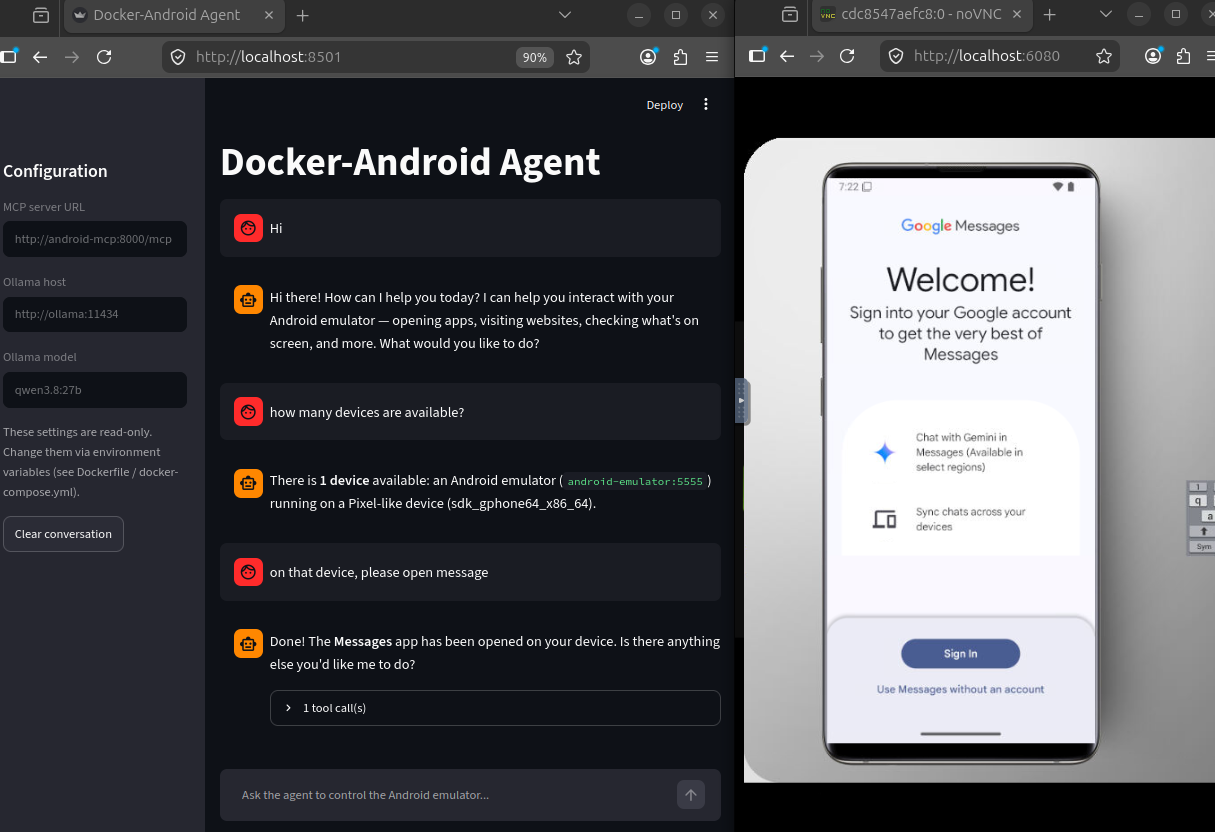
It support (http) MCP-Server (beta-version)
It support AI-Agent (beta-version) - supported local-LLM server: Ollama, VLLM

| Android | API | Image with latest release version | Image with specific release version |
|---|---|---|---|
| 9.0 | 28 | budtmo/docker-android:emulator_9.0 | budtmo/docker-android:emulator_9.0_ |
| 10.0 | 29 | budtmo/docker-android:emulator_10.0 | budtmo/docker-android:emulator_10.0_ |
| 11.0 | 30 | budtmo/docker-android:emulator_11.0 | budtmo/docker-android:emulator_11.0_ |
| 12.0 | 32 | budtmo/docker-android:emulator_12.0 | budtmo/docker-android:emulator_12.0_ |
| 13.0 | 33 | budtmo/docker-android:emulator_13.0 | budtmo/docker-android:emulator_13.0_ |
| 14.0 | 34 | budtmo/docker-android:emulator_14.0 | budtmo/docker-android:emulator_14.0_ |
| - | - | budtmo/docker-android:genymotion | budtmo/docker-android:genymotion_ |
| - | - | budtmo/docker-android:mcp | budtmo/docker-android:mcp_ |
| Type | Device Name |
|---|---|
| Phone | Samsung Galaxy S10 |
| Phone | Samsung Galaxy S9 |
| Phone | Samsung Galaxy S8 |
| Phone | Samsung Galaxy S7 Edge |
| Phone | Samsung Galaxy S7 |
| Phone | Samsung Galaxy S6 |
| Phone | Nexus 4 |
| Phone | Nexus 5 |
| Phone | Nexus One |
| Phone | Nexus S |
| Tablet | Nexus 7 |
| Tablet | Pixel C |
If you use Ubuntu OS on your host machine, you can skip this step. For OSX and Windows OS user, you need to use Virtual Machine that support Virtualization with Ubuntu OS because the image can be run under Ubuntu OS only.
Your machine should support virtualization. To check if the virtualization is enabled is:
sudo apt install cpu-checker
kvm-ok
Run Docker-Android container
docker run -d -p 6080:6080 -e EMULATOR_DEVICE="Samsung Galaxy S10" -e WEB_VNC=true --device /dev/kvm --name android-container budtmo/docker-android:emulator_11.0
Open http://localhost:6080 to see inside running container.
To check the status of the emulator
docker exec -it android-container cat device_status
The default behaviour is to destroy the emulated device on container restart. To persist data, you need to mount a volume at /home/androidusr:
docker run -v data:/home/androidusr budtmo/docker-android:emulator_11.0
Credit goes to Guillaume - The Parallel Interface blog
Add yourself to the kvm usergroup.
sudo usermod -a -G kvm ${USER}
Add necessary flags to /etc/wsl.conf to their respective sections.
[boot]
command = /bin/bash -c 'chown -v root:kvm /dev/kvm && chmod 660 /dev/kvm'
Then, using PowerShell, open a notepad on notepad $env:USERPROFILE\.wslconfig. Inside, put these other flags:
[wsl2]
nestedVirtualization=true
Restart WSL2 via CMD prompt or Powershell
wsl --shutdown
command = /bin/bash -c 'chown -v root:kvm /dev/kvm && chmod 660 /dev/kvm' sets /dev/kvm to kvm usergroup rather than the default root usergroup on WSL2 startup.
nestedVirtualization flag is only available to Windows 11.
If this setup does not work, you may have an old WSL version. In that case, ignore \.wslconfig and put everything on /etc/wsl.conf, including the [wsl2] flag.
This document contains information about configurations that can be used to enable some features, e.g. log-sharing, etc.

For you who do not have ressources to maintain the simulator or to buy machines or need different device profiles, you can give a try by using Genymotion SAAS. Docker-Android is integrated with Genymotion on different cloud services, e.g. Genymotion SAAS, AWS, GCP, Alibaba Cloud. Please follow this document for more detail.
The Emulator skins are taken from Android Studio IDE and Samsung Developer Website
Due to high requests for help and to be able to actively maintain the projects, the creator has decided to create docker-android-pro. Docker-Android-Pro is a sponsor based project which mean that the docker image of pro-version can be pulled only by active sponsor.
The differences between normal version and pro version are:
| Feature | Normal | Pro | Comment |
|---|---|---|---|
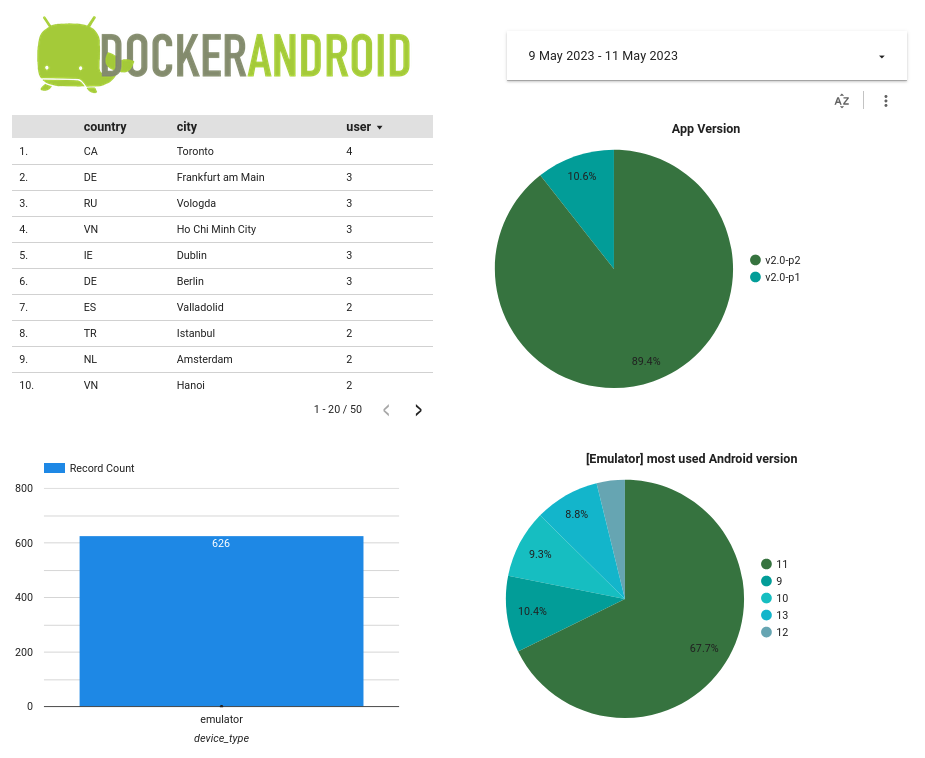
| user-behavior-analytics | Yes | No | - |
| ai-agent | No | Yes | Currently supported local-LLM server: Ollama, VLLM |
| proxy | No | Yes | Set up company proxy on Android emulator on fly |
| language | No | Yes | Set up language on Android emulator on fly |
| Newer Android version | No | Yes | Support other newer Android version e.g. Android 15, Android 16, Android 17, etc |
| root-privileged | No | Yes | Able to run command with security privileged |
| headless-mode | No | Yes | Save resources by using headless mode |
| Selenium 4.x integration | No | Yes | Running Appium UI-Tests againt one (Selenium Hub) endpoint for Android- and iOS emulator(s) / device(s) |
| multiple Android-Simulators | No | Yes (soon) | Save resources by having multiple Android-Simulators on one docker-container |
| Google Play Store | No | Yes (soon) | - |
| Video Recording | No | Yes (soon) | Helpful for debugging |
List pro-version images:
| Android | API | Type | Image with latest release version | Image with specific release version |
|---|---|---|---|---|
| 9.0 | 28 | Normal | budtmo2/docker-android-pro:emulator_9.0 | budtmo2/docker-android-pro:emulator_9.0_ |
| 10.0 | 29 | Normal | budtmo2/docker-android-pro:emulator_10.0 | budtmo2/docker-android-pro:emulator_10.0_ |
| 11.0 | 30 | Normal | budtmo2/docker-android-pro:emulator_11.0 | budtmo2/docker-android-pro:emulator_11.0_ |
| 12.0 | 32 | Normal | budtmo2/docker-android-pro:emulator_12.0 | budtmo2/docker-android-pro:emulator_12.0_ |
| 13.0 | 33 | Normal | budtmo2/docker-android-pro:emulator_13.0 | budtmo2/docker-android-pro:emulator_13.0_ |
| 14.0 | 34 | Normal | budtmo2/docker-android-pro:emulator_14.0 | budtmo2/docker-android-pro:emulator_14.0_ |
| 15.0 | 35 | Normal | budtmo2/docker-android-pro:emulator_15.0 | budtmo2/docker-android-pro:emulator_15.0_ |
| 16.0 | 36 | Normal | budtmo2/docker-android-pro:emulator_16.0 | budtmo2/docker-android-pro:emulator_16.0_ |
| 17.0 | 37 | Normal | budtmo2/docker-android-pro:emulator_17.0 | budtmo2/docker-android-pro:emulator_17.0_ |
| 9.0 | 28 | Headless | budtmo2/docker-android-pro:emulator_headless_9.0 | budtmo2/docker-android-pro:emulator_headless_9.0_ |
| 10.0 | 29 | Headless | budtmo2/docker-android-pro:emulator_headless_10.0 | budtmo2/docker-android-pro:emulator_headless_10.0_ |
| 11.0 | 30 | Headless | budtmo2/docker-android-pro:emulator_headless_11.0 | budtmo2/docker-android-pro:emulator_headless_11.0_ |
| 12.0 | 32 | Headless | budtmo2/docker-android-pro:emulator_headless_12.0 | budtmo2/docker-android-pro:emulator_headless_12.0_ |
| 13.0 | 33 | Headless | budtmo2/docker-android-pro:emulator_headless_13.0 | budtmo2/docker-android-pro:emulator_headless_13.0_ |
| 14.0 | 34 | Headless | budtmo2/docker-android-pro:emulator_headless_14.0 | budtmo2/docker-android-pro:emulator_headless_14.0_ |
| 15.0 | 35 | Headless | budtmo2/docker-android-pro:emulator_headless_15.0 | budtmo2/docker-android-pro:emulator_headless_15.0_ |
| 16.0 | 36 | Headless | budtmo2/docker-android-pro:emulator_headless_16.0 | budtmo2/docker-android-pro:emulator_headless_16.0_ |
| 17.0 | 37 | Headless | budtmo2/docker-android-pro:emulator_headless_17.0 | budtmo2/docker-android-pro:emulator_headless_17.0_ |
| - | - | AI-Agent | budtmo2/docker-android-pro:agent | budtmo2/docker-android-pro:agent_ |
| - | - | Selenium | budtmo2/docker-android-pro:selenium | budtmo2/docker-android-pro:selenium_ |
This document contains detail information about how to use docker-android-pro.
See License
内容由编辑整理,部分信息来自 GitHub 与项目官网,版权归原作者所有。发现错误?报告问题