Where human intuition meets declarative AI planning.
Turn any declarative JSON document into a high-performance, interactive, draggable Gantt chart. Zero runtime dependencies.100% pure TypeScript.
Runs everywhere: Plain HTML, React, Next.js, Node.js CLI, and autonomous AI toolchains.
Designed from the ground up for:
Autonomous AI Agents & LLMs — Declarative JSON schema contract eliminates UI hallucinations; models generate timeline data with 10x fewer tokens than fragile JSX code.
Students, Hobbyists & Creators — Lightweight, beautiful Swiss Noir dark mode, intuitive drag-and-drop, touch gestures, and instant local storage persistence.
Engineering Teams & Program Directors — Operations Research Critical Path solver, EVM (Earned Value Management), DCMA-14 schedule health audits, and multi-user CRDT collaboration with secure role-based permissions.
Brittle AI Generations: Prompting LLMs (ChatGPT, Claude, Gemini) to generate React JSX or SVG coordinate math produces broken layouts, coordinate hallucinations, and wastes thousands of tokens on boilerplate UI code.
Static Limitations: DSLs like Mermaid.js are read-only, non-interactive images. They cannot be dragged, edited, recalculated, or synchronized back to living project state.
The 4 Superpowers of Jantt
Zero Runtime Dependencies: The core math and layout engine (@jantt/core) is pure, zero-dependency TypeScript weighing under 14 KB gzipped.
AI-Native & 10x Fewer Tokens: Declarative JSON schema contract eliminates UI hallucinations; models generate timeline data with 10x fewer tokens than fragile JSX code.
Swiss Modernism 2.0 Aesthetics: Deep OLED Swiss Noir (#080D18), 90-degree CAD orthogonal routing, glassmorphic HUD cards, and high-contrast typography.
Defense-Grade Operations Research: Built-in topological DAG solver, Critical Path Method (CPM), Earned Value Management (EVM - ANSI/EIA-748), DCMA-14 schedule health audits, and multi-user CRDT cloud rooms.
Visual Showcase & Curated Themes
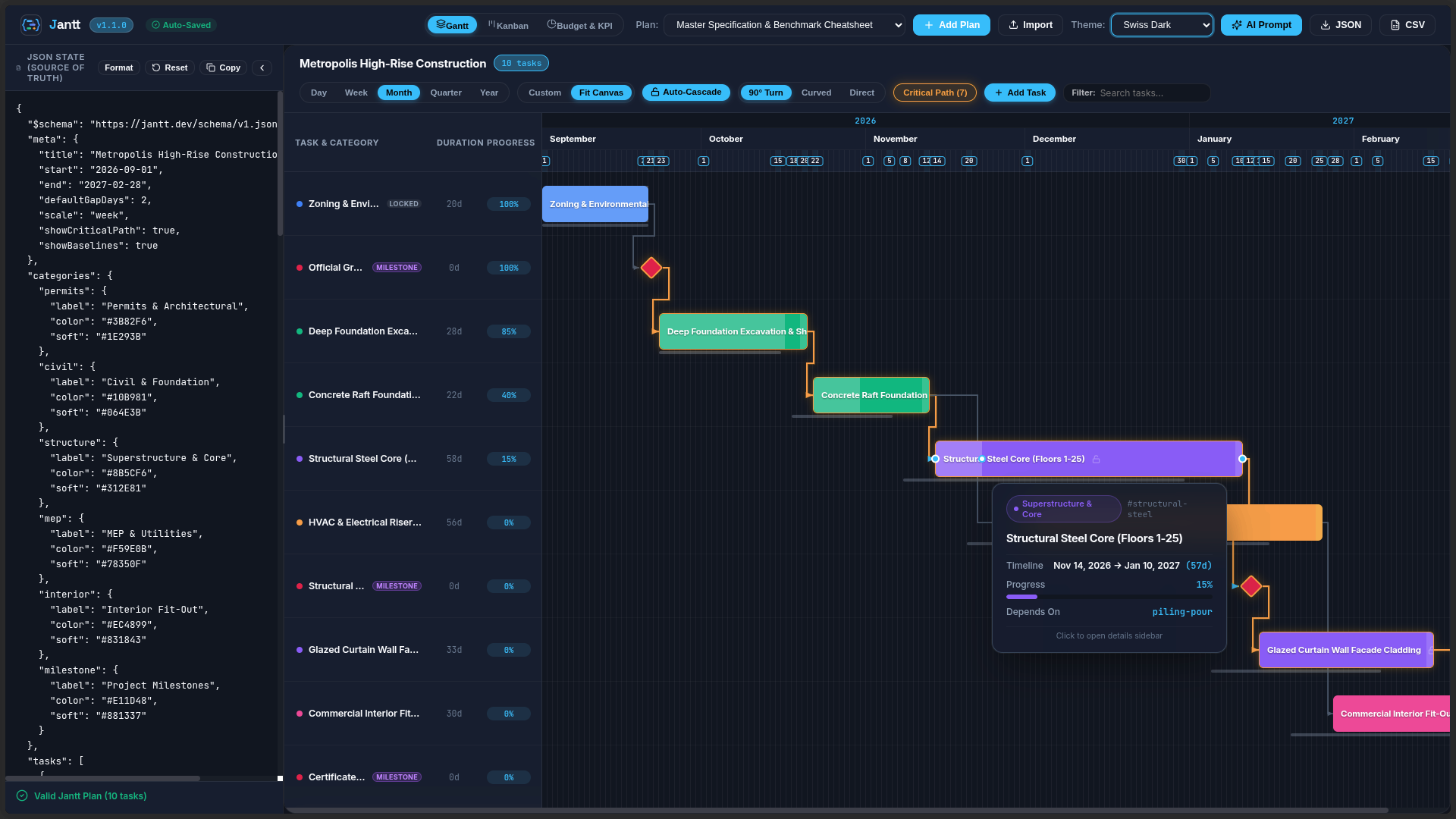
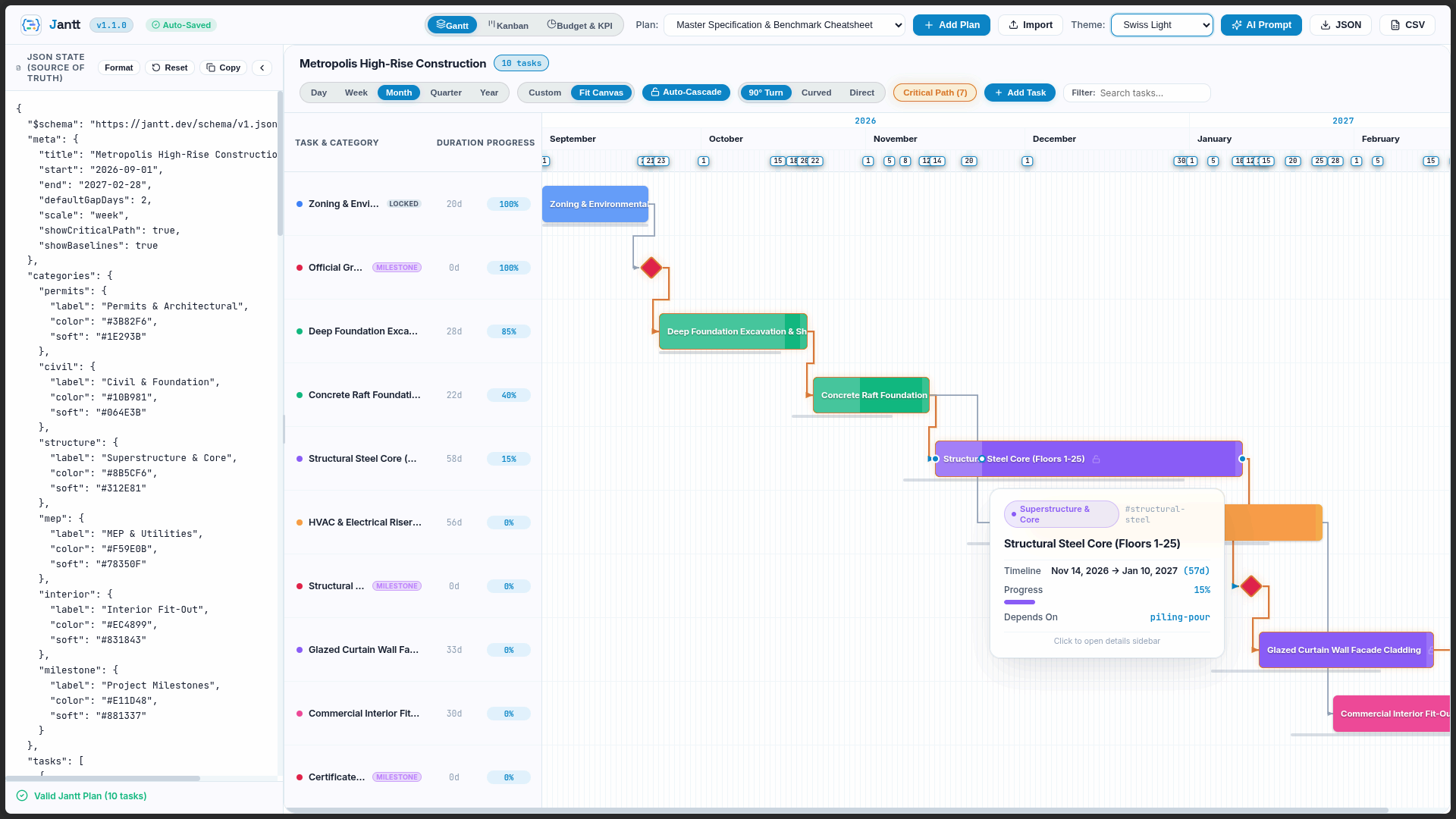
Jantt features a fully reactive, CSS variable-driven theming architecture with out-of-the-box support for light modes, sleek dark modes, and high-contrast vibrant styles:
Swiss Light Mode
Daylight clarity, high contrast typography, and subtle glassmorphic tooltips.
Swiss Dark Mode
Sleek obsidian palette with glowing critical path indicators and 90° right-angle routing.
AI-Native Ideology: Stop Asking AI to Write Fragile Timeline Code
Having LLMs generate hundreds of lines of React JSX, SVG coordinate math, and canvas listeners produces brittle, hallucination-prone results. With Jantt, the AI outputs pure declarative JSON, and Jantt delivers deterministic, interactive execution.
flowchart LR
    A["<b>Step 1: Feed Cheatsheet to LLM</b><br/>Compact schema contract (WBS, dates, DAG, budget)"] --> B["<b>Step 2: AI Outputs Pure JSON</b><br/>10x fewer tokens, type-safe, 0 hallucinations"]
    B --> C["<b>Step 3: Instant Interactive Suite</b><br/>Deterministic DAG solver, Gantt, Kanban & Analytics"]
    C --> D["<b>Step 4: Bidirectional Loop</b><br/>Humans adjust visually, syncs clean JSON back to AI"]
    D --> B
Step 1: Feed Cheatsheet to LLM — Give the AI the compact schema contract (WBS, dates, DAG dependencies, milestones, budget). See the full Jantt JSON Cheatsheet.
Step 2: AI Outputs Pure JSON — Uses 10× fewer tokens than JSX. Machine-checkable, type-safe, and zero UI hallucinations.
Step 3: Instant Interactive Suite — Jantt resolves topological DAG schedules, routes orthogonal wires, and renders Gantt, Kanban, Notes & Analytics.
Step 4: Bidirectional Loop — Humans drag and adjust visually. Jantt syncs clean JSON back to localStorage/disk for the AI agent.
LLM System Prompt
Hand this prompt to ChatGPT, Claude, Gemini, Cursor, or your autonomous AI agent pipelines. The model will output 100% valid, constraint-checked Jantt JSON schedules without hallucinating UI code:
You are a precision project management schedule generator.
Output ONLY raw, valid JSON conforming strictly to the Jantt JSON Schema (https://raw.githubusercontent.com/AhmadHassan-BTed/Jantt/main/schema/jantt.schema.json).

# JANTT JSON SCHEMA BENCHMARK & SPECIFICATION CHEATSHEET (v1.4.0)

## 1. Top-Level Root Structure
{
  "$schema": "https://raw.githubusercontent.com/AhmadHassan-BTed/Jantt/main/schema/jantt.schema.json",
  "meta": {
    "title": "<Project Title>",
    "description": "<Project narrative and objectives>",
    "person": "<Lead Program Manager / Owner>",
    "organization": "<Enterprise / Organization Name>",
    "start": "YYYY-MM-DD",
    "end": "YYYY-MM-DD",
    "defaultGapDays": 2,
    "scale": "day" | "week" | "month" | "quarter" | "year",
    "linkRouting": "orthogonal" | "curved" | "direct",
    "showCriticalPath": true,
    "showBaselines": true,
    "autoCascade": true,
    "currency": "USD",
    "budget": 450000,
    "version": "1.4.0"
  },
  "categories": {
    "<category_id>": {
      "label": "<Category Display Name>",
      "color": "#HEX_COLOR",
      "soft": "#BG_TINT_HEX",
      "icon": "<lucide_icon_name>"
    }
  },
  "people": [
    {
      "id": "@alex",
      "name": "Alex Mercer",
      "username": "@alex",
      "role": "Lead Architect",
      "email": "[email protected]",
      "teamId": "core-team",
      "color": "#3B82F6"
    },
    {
      "id": "person-contractor",
      "name": "Sarah Miller",
      "role": "External Specialist",
      "teamId": "core-team",
      "color": "#10B981"
    }
  ],
  "teams": [
    {
      "id": "core-team",
      "name": "Core Platform Squad",
      "color": "#3B82F6",
      "description": "Backend services and architecture"
    }
  ],
  "notes": [
    {
      "id": "note-unique-id",
      "title": "Architecture RFC & Specs",
      "content": "Detailed markdown requirements, meeting minutes, and acceptance criteria.",
      "color": "#3B82F6",
      "pinned": true,
      "category": "Architecture",
      "tags": ["RFC", "Architecture"],
      "task_ids": ["task-1"],
      "updatedBy": "@alex",
      "createdAt": "YYYY-MM-DDTHH:mm:ssZ",
      "updatedAt": "YYYY-MM-DDTHH:mm:ssZ"
    }
  ],
  "documents": [
    {
      "id": "doc-unique-id",
      "label": "<Document or Deliverable Title>",
      "status": "have" | "pending" | "missing",
      "owner": "<Owner Name>",
      "url": "<Documentation Link>",
      "note": "<Review notes / status>"
    }
  ],
  "tasks": [
    {
      "id": "task-unique-id",
      "wbs": "1.1",
      "label": "Task Name / Title",
      "category": "<matching_category_id>",
      "start": "YYYY-MM-DD",
      "end": "YYYY-MM-DD",
      "assignee": "@alex",
      "phase": "Phase 1: Foundation",
      "priority": "low" | "medium" | "high" | "urgent",
      "estimatedCost": 28000,
      "actualCost": 15000,
      "dependsOn": "prereq-id" | ["prereq-1", "prereq-2"] | null,
      "gapDays": 2,
      "locked": false,
      "progress": 0.75,
      "milestone": false,
      "status": "not-started" | "in-progress" | "submitted" | "completed" | "blocked",
      "urgent": false,
      "color": "#EC4899",
      "baseline": {
        "start": "YYYY-MM-DD",
        "end": "YYYY-MM-DD"
      },
      "notes": "Detailed task description, acceptance criteria, and technical specs.",
      "fields": {
        "jira": "JANTT-101",
        "storyPoints": 13,
        "repo": "github.com/org/repo",
        "deliverable": "schemas/v1.json"
      }
    }
  ]
}

## 2. Critical Constraints & Validation Rules:
1. DATES: All dates must be ISO "YYYY-MM-DD" format. "end" must be >= "start".
2. CATEGORIES: Every task "category" must match an existing key in the "categories" dictionary.
3. DEPENDENCIES (DAG):
   - "dependsOn" can be a single task ID string, an array of strings ["t1", "t2"], or null.
   - All referenced dependency IDs must exist in the "tasks" list (no dangling references).
   - Strict Directed Acyclic Graph: NO circular dependency loops (e.g. A -> B -> C -> A).
   - Timing Sanity: A task's "start" must be on or after prerequisite "end" + gapDays.
4. MILESTONES: For zero-duration milestone gates, set "milestone": true and "start" equal to "end".
5. PROGRESS: Must be a decimal float from 0.0 (0%) to 1.0 (100%).
6. BASELINES: Optional planned timeframe object { "start": "YYYY-MM-DD", "end": "YYYY-MM-DD" } for baseline variance tracking.
7. LOCKED: Set "locked": true on fixed gates or hard-deadline milestones to prevent accidental drag shifts.
8. SINGLE SOURCE OF TRUTH & ZERO DATABASE IDS IN JSON:
   - Real registered teammates use canonical "@username" for both "id" and "username".
   - Non-account individuals are defined as offline personas (e.g. "id": "person-contractor", without "username").
   - Tasks assigned to real accounts reference the handle in "assignee": "@username".
   - NO INTERNAL DATABASE IDS OR UIDs IN JSON: Private database keys, Firebase UIDs, auth tokens, and secret keys are strictly stripped from JSON. The ONLY exception is public "@username" mentions.
Minimal JSON Template
Provide this minimal benchmark template directly to any code or LLM pipeline:
Jantt operates on a strictly decoupled, unidirectional data flow. Raw JSON is validated, topologically solved, mapped into coordinate space, and presented via modular DOM and SVG layers.
When dragging task bars, resizing durations, connecting dependency handles, or adjusting progress, the event cycle flows cleanly through the state machine:
sequenceDiagram
    autonumber
    actor User as User / Contributor
    participant DOM as DOM / SVG Canvas
    participant Controller as Interaction Controller
    participant Resolver as Topological Resolver
    participant AppState as JSON State
    participant Callback as onCommit / Disk

    User->>DOM: PointerDown on Drag Port / Task Bar
    DOM->>Controller: startDrag(mode: move | resize | progress | link | split)

    loop Live Interaction (PointerMove)
        User->>DOM: Drag pointer across timeline
        Controller->>DOM: Update temporary visual draft (90° preview wire / coordinate shift)
    end

    User->>DOM: PointerUp (Release)
    Controller->>Resolver: resolveSchedule(mutatedTasks, defaultGapDays)
    Resolver-->>Controller: Return schedule-consistent tasks
    Controller->>AppState: Generate new immutable JanttData state
    Controller->>DOM: Re-render layout with updated constraints
    Controller->>Callback: Emit onCommit(finalData) / Write to file on disk
Feature Matrix & Capabilities Guide
Jantt bridges the gap between declarative machine data and human project intuition with high-performance visualization across timelines, agile boards, and documentation.
Open and edit any JSON file with automatic real-time saving back to disk:
# Open interactive browser chart with auto-save to file
npx jantt open ./examples/construction-enterprise.json

# Validate JSON file against schema from terminal
npx jantt validate ./examples/basic.json
4. Headless Core Engine (@jantt/core)
Execute topological constraints and schedule calculations headlessly in backend services:
Jantt features a dedicated, enterprise-grade multi-user collaboration engine backed by Firebase Realtime Database and Cloudflare Workers:
1. GitHub-Only Authentication (Zero Google Auth)
Strict Single Provider: Google login and generic password forms are completely removed. Authentication is restricted to GitHub OAuth 2.0 (read:user, user:follow, public_repo).
Zero Manual Username Typing: Jantt automatically claims the user's verified GitHub handle (@username) directly into /usernames/{username} upon first sign-in.
Creator Follow & Star Gate: Collaborators unlock free cloud collaboration rooms by supporting the project — following @AhmadHassan-BTed and starring developer repositories. Creator @AhmadHassan-BTed is automatically verified across all checks.
2. Single Source of Truth & Zero Internal Database IDs in JSON
No Database Leakage: Private database UIDs, owner UIDs, internal room secrets, and authentication tokens are strictly stripped and never exposed in JSON.
Canonical Mentions: The only user identity representation in JSON is canonical user mentions (@username).
Plan Sanitizer Engine (sanitizePlanForJson): Every plan document is recursively scrubbed before write or export.
3. Dual-Mode People & Assignee Management
Search Real Accounts: Live search modal queries /users by username prefix (searchUsersByUsername) with avatar, display name, and @username.
Offline / Dummy Personas: Add contractors or external stakeholders without an account (id: "person-xxx", without username).
Coherent Task Assignments: Tasks assigned to real accounts reference "assignee": "@username", keeping tasks, people, and mentions 100% synchronized.
/user_rooms: Fast dashboard listings of owned and shared rooms.
/rooms: ACID transactions via runTransaction with 3-way CRDT reconciler, ensuring only room owners and editors can mutate plan data.
AI Prompting Specification
Use this system prompt with ChatGPT, Claude, Gemini, or local LLMs to generate valid Jantt timelines:
You are a project timeline generator. Output only raw, valid JSON conforming strictly to the Jantt Schema (https://jantt.dev/schema/v1.json).

Rules:
1. Root must contain: "tasks": [{ "id", "label", "category", "start", "end", "dependsOn", "progress", "milestone", "baseline" }]
2. All dates must be ISO "YYYY-MM-DD"
3. All task categories must match keys declared in "categories"
4. Put custom domain metadata inside the "fields" object
5. Output ONLY raw JSON without markdown explanations.
Theming & CSS Variables Reference
:root {
  --jantt-bg: #0B111E;              /* Chart background */
  --jantt-surface: #141D2F;         /* Toolbar & left table surface */
  --jantt-surface-hover: #1A263D;   /* Row hover state */
  --jantt-border: #24324B;          /* Border lines */
  --jantt-text: #F1F5F9;            /* Primary text */
  --jantt-text-muted: #94A3B8;      /* Secondary text */
  --jantt-accent: #38BDF8;          /* Active selection & ports */
  --jantt-today: #F43F5E;           /* Today indicator line */
  --jantt-critical: #F59E0B;        /* Critical path glowing line */
  --jantt-bar-radius: 6px;          /* Task bar corner radius */
}
Keyboard Accessibility
Key
Action
Tab / Shift+Tab
Navigate focus across task bars
ArrowLeft / ArrowRight
Move task start & end by 1 day (or defaultGapDays with Alt)
# Clone the repository
git clone https://github.com/AhmadHassan-BTed/Jantt.git
cd Jantt

# Install dependencies
npm install

# Run verification test suite (339/339 passing across 22 test suites)
npm test

# Typecheck all packages
npm run typecheck

# Launch local interactive development playground
npm run dev