![]()
IINA is the modern video player for macOS.
Website · Releases · Telegram Group
You can get IINA through several sources. For the latest stable and beta releases, visit the or the . If you want to try out the latest features and improvements before they are officially released, you can download the nightly builds from our .
[!IMPORTANT] Nightly builds are generated by GitHub automatically for every commits, which might be buggy and unusable. If you find a bug, please follow the contributing section and file an issue.
IINA uses mpv for media playback. To build IINA, you can either fetch copies of these libraries we have already built (using the instructions below) or build them yourself by skipping to these instructions.
./other/download_libs.sh
[!TIP]
- By default the shell script downloads universal binaries. You can download arch-specific binaries using
--arch(universal,arm64orx86_64)- Files are downloaded in parallel (5 concurrent downloads by default). You can change this using
--parallel(from 1 to...)- If you want to build an older IINA version you must change
DYLIBS_DOWNLOAD_PATHin the script to download the corresponding dylibs. For example,https://iina.io/dylibs/1.2.0/universal/fileList.txt.
Open iina.xcodeproj in the latest public version of Xcode. IINA may not build if you use any other version.
Build the project.
Build your own copy of mpv. You can use our official build scripts to build mpv and all other dependencies.
Run other/parse_doc.rb. This script will fetch the latest mpv documentation and generate MPVOption.swift, MPVCommand.swift and MPVProperty.swift. Copy them from other/ to iina/, replacing the current files. This is only needed when updating libmpv. Note that if the API changes, the player source code may also need to be changed.
Link the yt-dlp dependency to deps/executable
mkdir -p deps/executable
ln -s $(which yt-dlp) deps/executable/youtube-dl
Open iina.xcodeproj in the latest public version of Xcode. IINA may not build if you use any other version.
Remove all references to .dylib files from the Frameworks group in the sidebar and add all the .dylib files in deps/lib to that group by clicking "Add Files to iina..." in the context menu.
Add all the imported .dylib files into the "Copy Dylibs" phase under "Build Phases" tab of the iina target.
Make sure the necessary .dylib files are present in the "Link Binary With Libraries" phase under "Build Phases". Xcode should have already added all dylibs under this section.
Build the project.
IINA is always looking for contributions, whether it's through bug reports, code, or new translations.
If you find a bug in IINA, or would like to suggest a new feature or enhancement, it'd be nice if you could search your problem first; while we don't mind duplicates, keeping issues unique helps us save time and consolidates effort. If you can't find your issue, feel free to file a new one.
If you're looking to contribute code, please read CONTRIBUTING.md — it has information on IINA's process for handling contributions, and tips on how the code is structured to make your work easier.
If you'd like to translate IINA to your language, please visit IINA's instance of Crowdin. You can create an account for free and start translating. Please do not send a pull request to this repo directly, Crowdin will automatically sync new translations with our repo. If you want to translate IINA into a new language that is currently not on the list, feel free to open an issue.
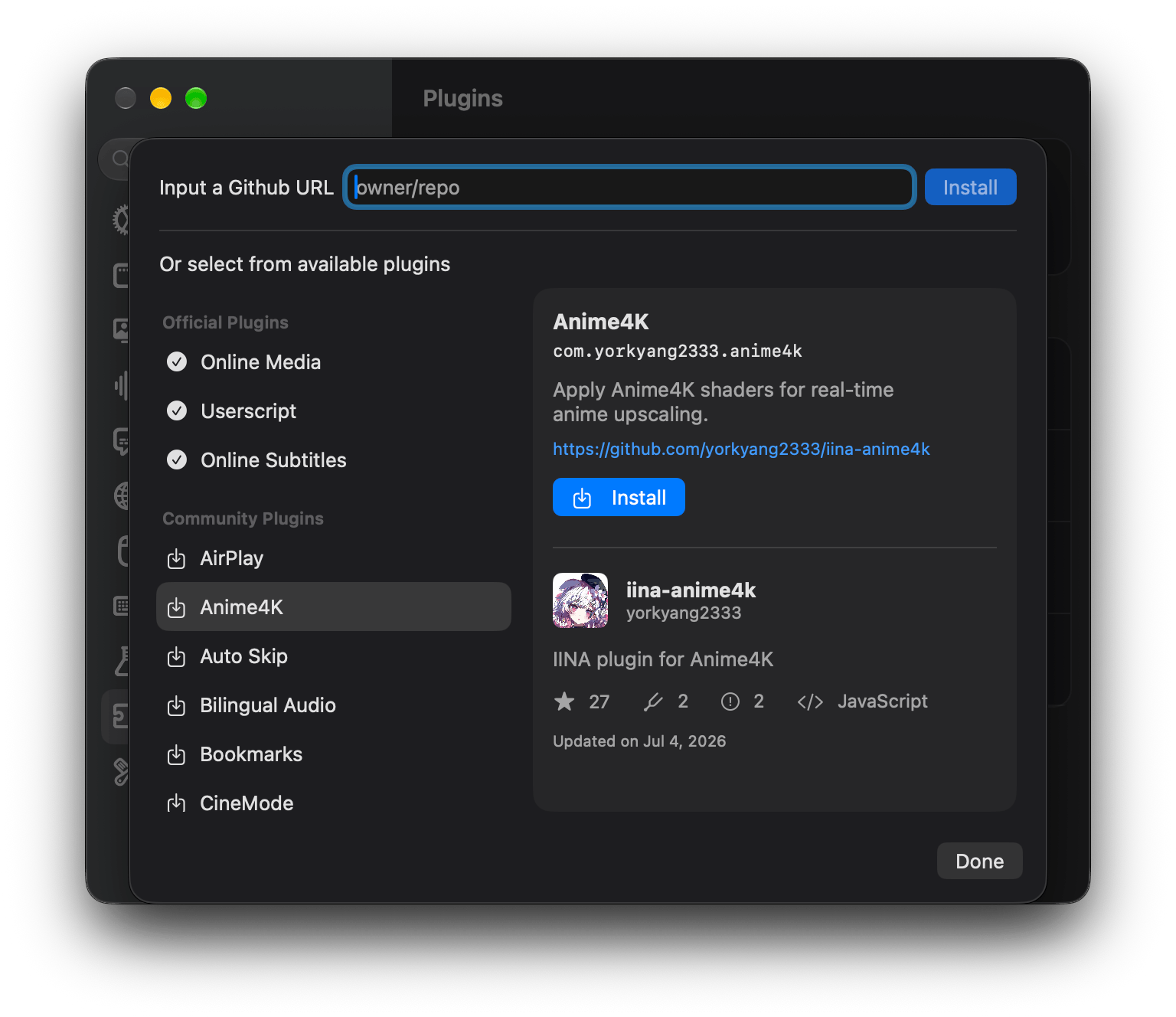
iina/plugin-online-media) - Enhances online streaming and downloading.iina/plugin-opensub) - Search and download subtitles.iina/plugin-userscript) - Run custom JavaScript snippets.Community plugins can be browsed and installed directly from the plugin store in IINA's Settings → Plugins. The list is maintained in plugins.json.

💡 Want to list your plugin?
Open a pull request that adds an entry to
plugins.json, keeping the list sorted alphabetically byname:{ "name": "My Plugin", "url": "https://github.com/username/iina-my-plugin", "desc": "A short, one-sentence description of what the plugin does.", "id": "com.username.my-plugin" }
idmust match theidentifierin your plugin'sInfo.json. Once merged, your plugin will show up in the in-app plugin store.Looking to build one? Check out the plugin documentation to learn how they work.
内容由编辑整理,部分信息来自 GitHub 与项目官网,版权归原作者所有。发现错误?报告问题