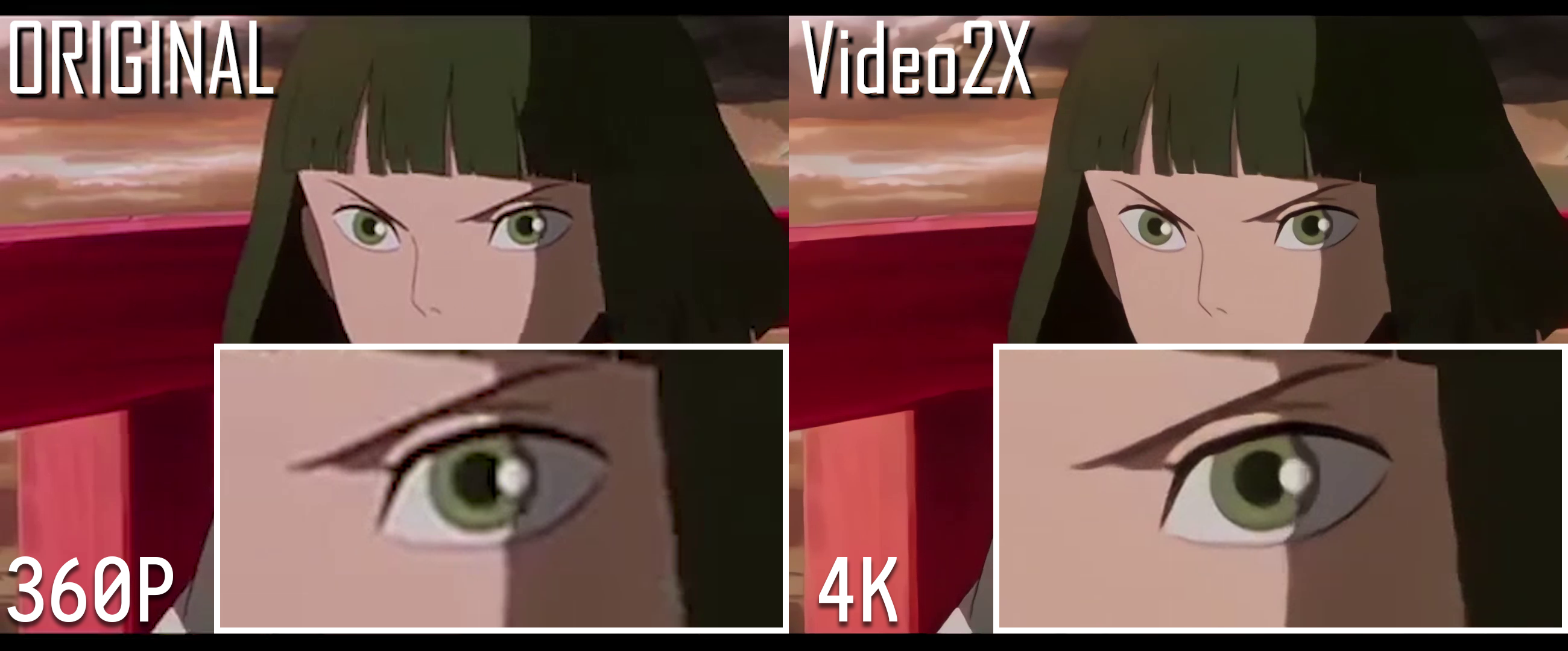
Video2X 是一个基于机器学习的视频超分辨率与帧率插值框架,2018 年起源自黑客松项目。6.0 版本用 C/C++ 完全重写,提供更快的处理流程和更好的画质,支持 Windows 与 Linux,Windows 端带有图形界面安装包。它有两种工作模式:通过 Anime4K v4、Real-ESRGAN、Real-CUGAN 等模型放大分辨率,或通过 RIFE 进行补帧提升流畅度;这些模型经由 ncnn 与 Vulkan 在 GPU 上运行。处理过程几乎不额外占用磁盘空间,也提供 Docker 镜像和 Google Colab 方案,方便没有强显卡的用户使用。
Windows 下载 releases 页面的安装程序;Arch Linux 可安装 aur/video2x-qt6;其他发行版使用 Video2X-x8664.AppImage


Video2X 6.0.0 highlights:
Click to see more details
Version 6.0.0 is a complete rewrite of this project in C/C++. It:
Your system must meet the minimum hardware requirements below to run Video2X.
You can download the latest Windows release on the releases page. For basic GUI usage, refer to the documentation. If you're unable to download directly from GitHub, try the mirror site. The GUI currently supports the following languages:
Video2X packages are available for the Linux distros listed below. A universal AppImage is also available for other distros. If you'd like to build it from source code, refer to the PKGBUILD file for a general overview of the required dependencies and commands.
Video2X-x86_64.AppImage on the releases page.Video2X container images are available on the GitHub Container Registry for easy deployment on Linux and macOS. If you already have Docker/Podman installed, only one command is needed to start upscaling a video. For more information on how to use Video2X's Docker image, please refer to the documentation.
You can use Video2X on Google Colab for free if you don't have a powerful GPU of your own. You can borrow a powerful GPU (NVIDIA T4, L4, or A100) on Google's server for free for a maximum of 12 hours per session. Please use the free resource fairly and do not create sessions back-to-back and run upscaling 24/7. This might result in you getting banned. You can get Colab Pro/Pro+ if you'd like to use better GPUs and get longer runtimes. Usage instructions are embedded in the Colab Notebook.
Join our Telegram discussion group to ask any questions you have about Video2X, chat directly with the developers, or discuss super resolution, frame interpolation technologies, or the future of Video2X in general.
Comprehensive documentation for Video2X is available at https://docs.video2x.org/. It offers detailed instructions on how to build, install, use, and develop with this program.

Upscale demo: Spirited Away's movie trailer
The following clip can be used to test if your setup works properly. This is also the standard clip used for running performance benchmarks.
The original clip came from the anime "さくら荘のペットな彼女."
Copyright of this clip belongs to 株式会社アニプレックス.
This project is licensed under GNU AGPL version 3.
Copyright (C) 2018-2025 K4YT3X and contributors.

This project includes or depends on these following projects:
| Project | License |
|---|---|
| FFmpeg/FFmpeg | LGPLv2.1, GPLv2 |
| Tencent/ncnn | BSD 3-Clause |
| bloc97/Anime4K | MIT License |
| nihui/realcugan-ncnn-vulkan | MIT License |
| nihui/rife-ncnn-vulkan | MIT License |
| xinntao/Real-ESRGAN-ncnn-vulkan | MIT License |
More licensing information can be found in the NOTICE file.
Special thanks to the following individuals for their significant contributions to the project, listed in alphabetical order.
内容由编辑整理,部分信息来自 GitHub 与项目官网,版权归原作者所有。发现错误?报告问题